The company's own workshop
ETS2 + ATS
Build a workshop hall and bays, hire mechanics and a workshop manager, assign work by hand or automatically.
On this page6
A company can have its vehicles repaired in its own workshop instead of at the dealer. You find it under "Your own workshop".
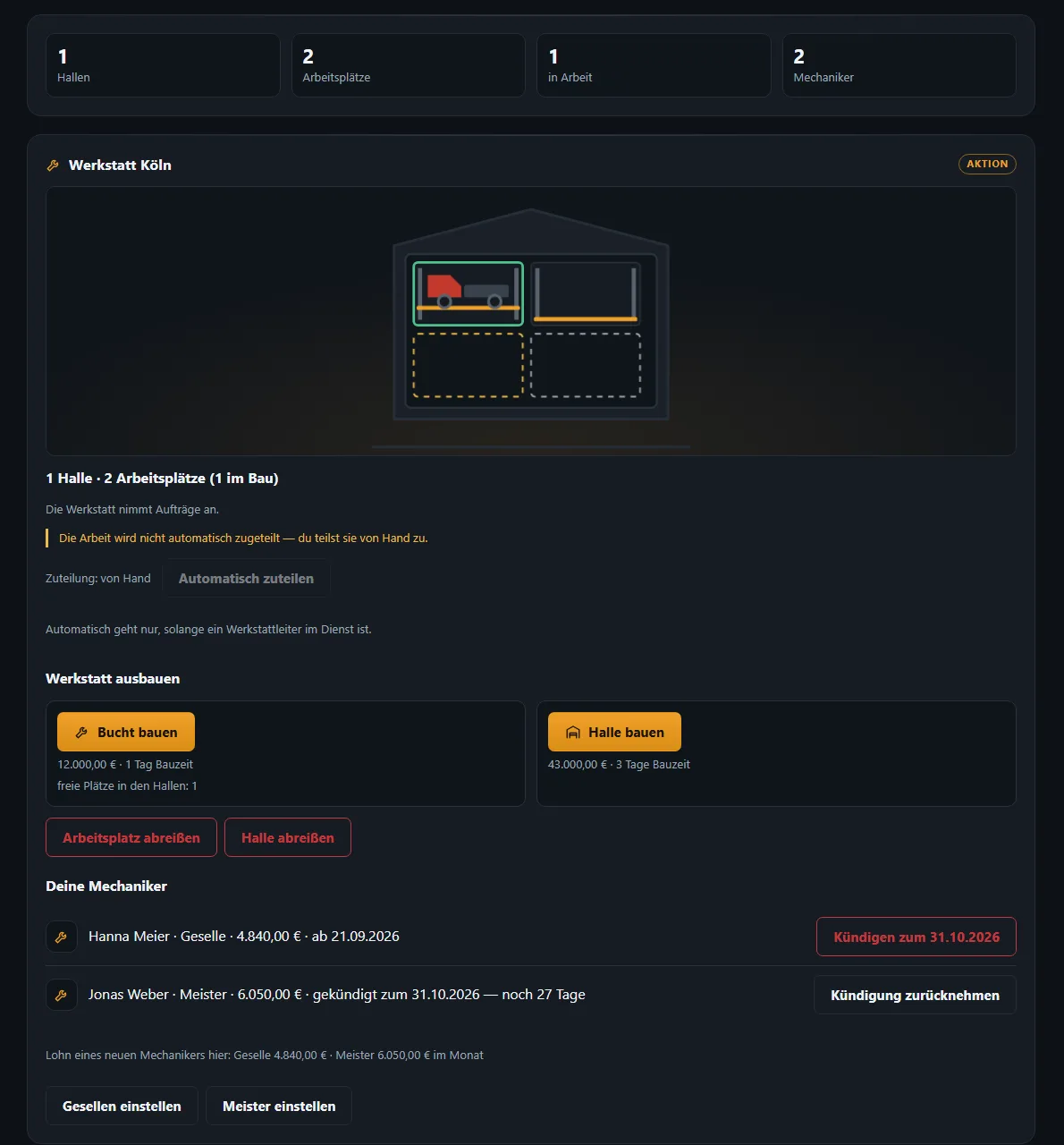
Building#
You order the first workshop hall on your yard (see Yards and parking bays). After that the workshop grows under "Extend the workshop":
- "Build a bay" – another work place in an existing hall
- "Build a hall" – another hall
Price and build time are shown on the button. "Demolish a bay" or "Demolish a hall" takes it down again – you get no money back, and demolition only starts once the current work is finished.
Staff#
No workshop works without people:
- Mechanics – "Hire a journeyman" or "Hire a master". The monthly wage of a new mechanic is shown there. After hiring there is a start date.
- Workshop manager – one covers all your workshops; a second one can stand in during leave or illness.
Notice is given with "Give notice for …"; the app sets when it takes effect. "Withdraw notice" keeps the employee. For the last mechanic the app warns you: after they leave the workshop stands still until a new one has started. Nobody is dismissed automatically.
Workshop managers and mechanics take yearly leave; it is announced in the mailbox beforehand and shows in the company's leave calendar.
Assigning work#
- "Assign by hand" – you, or whoever holds the right "Allocate a workshop bay", decide which vehicle goes to which bay.
- "Assign automatically" – only possible while a workshop manager is on duty.
Repairs on company vehicles are ordered by the owner or whoever may "Order a repair for a company vehicle". In the queue every vehicle shows its position and when it is expected to be ready.
Workload of the next 12 weeks#
At the bottom the workshop shows how much work is coming – appointments (inspection, SP, maintenance; in ATS "Inspection (DOT)") and wear repairs – and whether bays or mechanics are missing. That way you plan extensions in good time.
Which component needs which spare part?#
Your own workshop also needs the right spare parts for every repair. When a component drops below the repair threshold, these are the parts:
| Component | Spare part | Quantity |
|---|---|---|
| Chassis | Air spring bellows | 1 |
| Engine | Radiator and engine parts | 1 |
| Transmission | Clutch kit | 1 |
| Cab | Body and glass | 1 |
| Wheels | Tyre | 6 on a 4x2 · 8 on a 6x2 · 10 on a 6x4 |
| Trailer | Tyre | 6 |
| Trailer | Wheel bearing set | 3 (one per axle) |
| Trailer | Air spring bellows | 1 |
| Trailer | Curtain | 2 (both sides) |
| Trailer | Trailer parts | 1 |
Breakdowns on the road (blown tyre, brakes, battery, oil leak …) and scheduled services bring their own parts — the complete list is under Workshop › Which component needs which spare part?. If a part is missing, the cost estimate says so and the job shows "waiting for a part". The spare parts have the same names in ETS2 and ATS.
The driver's view#
When your company vehicle is in the workshop, the "Workshop" page shows what is being done, what it costs and until when it is off the road. Until then there may be a loan truck or loan trailer – with "paid by: your VTC" or "paid by: you" next to it.
Related
- ETS2 + ATSYards, parking bays, filling station and storeHeadquarters and yards per world, buying land, building parking bays and buildings, diesel, AdBlue and parts for your yard.Companies (VTC)
- ETS2 + ATSWorkshopRepairs, service and parts in the workshop.For drivers
- ETS2 + ATSMechanics — work, rest time and duty viewMechanics get going as soon as work stands in the hall: at most two per bay, master mechanics first, 10 hours of work (journeymen 9), then 11 hours of rest. The card “Mechanics on duty” shows who is doing what.Companies (VTC)