The company's fleet
ETS2 + ATS
Buying, assigning, renting and selling company vehicles – who may do what and what the fleet shows about each vehicle.
On this page6
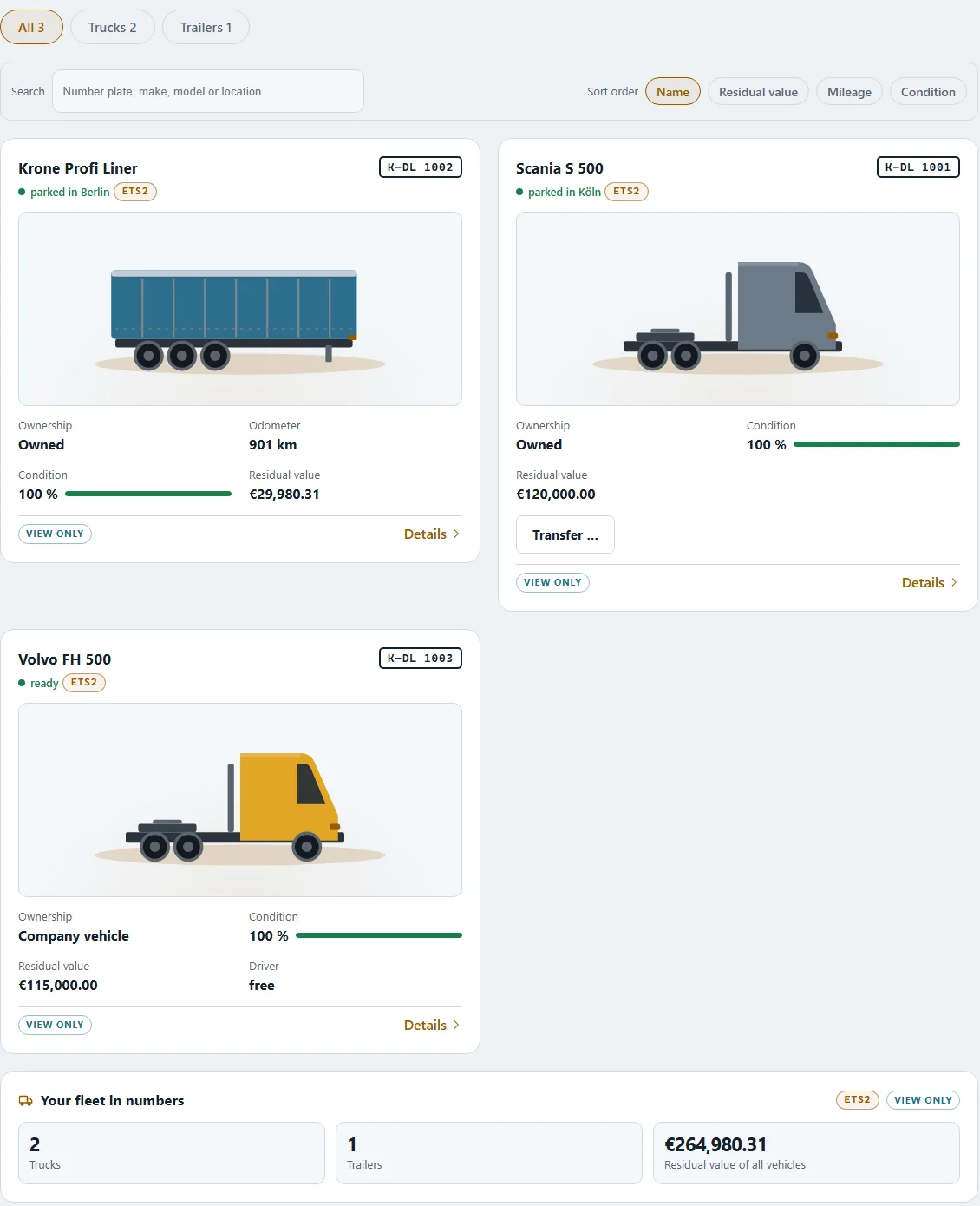
The fleet shows all vehicles – your own and, in a company, the company vehicles. You find it under "Fleet"; every member of the company sees the company fleet.
What the fleet shows#
- number of vehicles ("… trucks · … trailers"), total residual value and total net book value
- per vehicle: plate, year built, kilometres, condition, location, residual value, vehicle tax per month and its "History"
- counters such as "On the road", "In repair", "Waiting for a part" or "Inspection in 30 days"
"Search" finds a vehicle by plate, make, model or location; you can sort by name, residual value, mileage and condition.
Buying company vehicles#
Company vehicles are bought by the owner or whoever holds "Buy and sell vehicles" – at the dealer, paid from the company account. Every truck needs a free parking bay on an own yard ("yard first, then buy"). Every vehicle belongs to the world it was bought in – and so do its spare parts.
Assigning#
Company vehicles are driven by salaried drivers. Who drives what is set by dispatch in the "Assignment" tab – see Dispatch.
Renting through the company#
Everyone in the company may rent a truck or trailer through the company – otherwise they could not drive. The company's internal rental tariff is set by whoever may "Set the internal rental tariff". Your current rental contract is under "Rental" with rate, included kilometres and next debit.
Transfer runs and pickups#
- Transfer run: a vehicle is taken to another place – ordered on the company's account by someone with the right "Order a transfer run".
- Pickup: every member may pick up a company vehicle, unless the owner takes that away from their role ("Order a pickup").
Selling#
"Sell to dealer" – the app shows the residual value beforehand; the dealer names his price at the sale. For company vehicles the amount goes to the company account; the VAT it contains is paid with the next return.
If a driver leaves the company, the company vehicles stay with the company.
Related
- ETS2 + ATSDispatch – orders, assignment, on the roadCreate your own orders for your drivers, assign company vehicles and see who is driving where right now.Companies (VTC)
- ETS2 + ATSStatistics and company goalHow your company is doing, the internal leaderboard and shared goals by kilometres or tonnes with a bonus for everyone.Companies (VTC)
- ETS2 + ATSMechanics — work, rest time and duty viewMechanics get going as soon as work stands in the hall: at most two per bay, master mechanics first, 10 hours of work (journeymen 9), then 11 hours of rest. The card “Mechanics on duty” shows who is doing what.Companies (VTC)