Buying from the dealer
ETS2 + ATS
New, used, parts, offers — how you buy from the dealer, collect, have it transferred and sell.
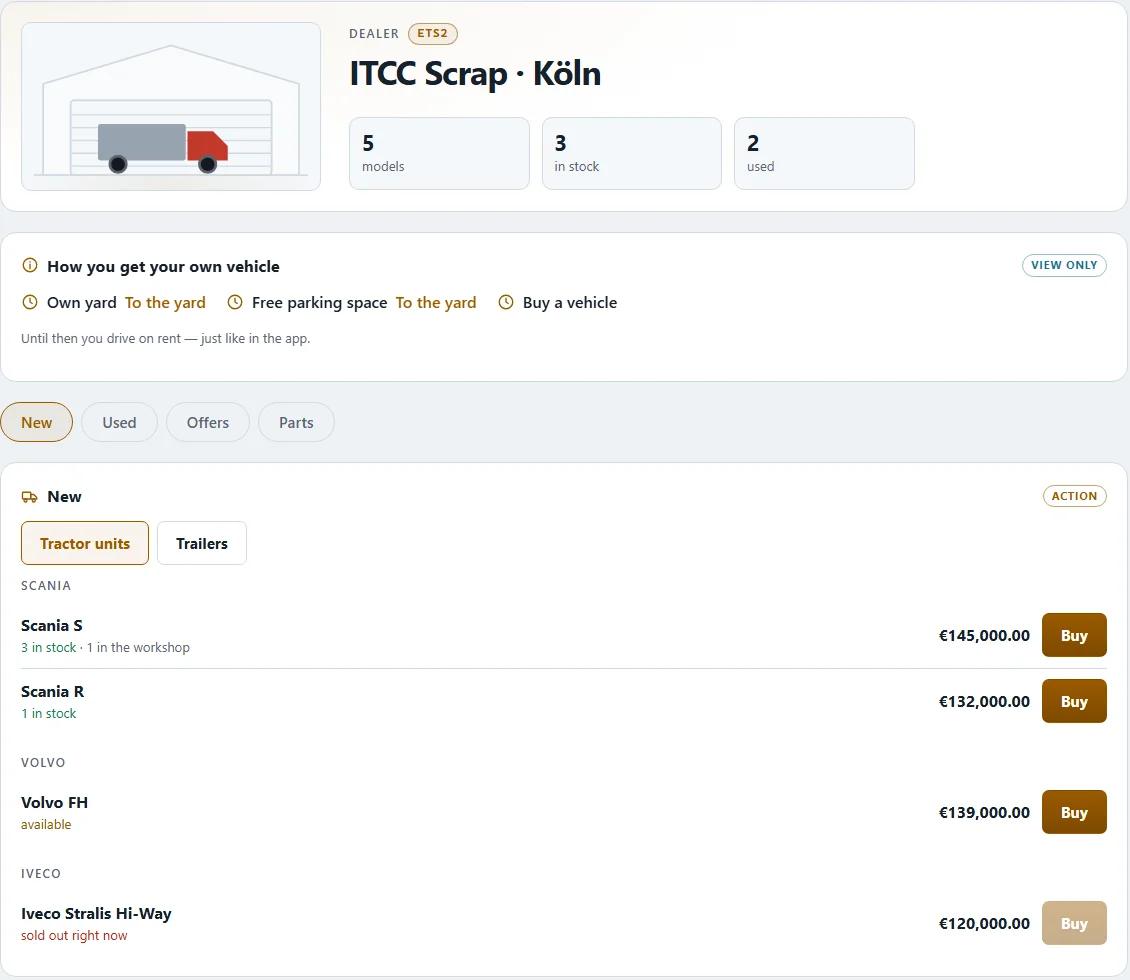
At the dealer you buy trucks, trailers and spare parts. In the app and on the web you find him under DEALER › "Dealer" (on the web "Dealer shop"). All drivers see the same stock — what someone else buys is gone for you.
The four tabs#
| Tab | What you see |
|---|---|
| "New" | New vehicles with "available …" and "next delivery expected …" |
| "Used" | Used vehicles with year, mileage, days on the lot and "bought in on …" |
| "Parts" | Spare parts and consumables, priced per piece or canister |
| "Offers" | Vehicles with a discount ("Offer · … % discount") |
You can sort by "As delivered", "Name A–Z", "Price ascending" or "By body type". For used vehicles the search field helps. On the picture of the used vehicles on the dealer's yard you tap a vehicle — it appears in the purchase card; its condition shows as dots per component ("good", "medium", "poor").
Even when no new vehicle is in stock you can order. The app then tells you the expected delivery.
Before you order#
Your own truck needs a space. So the purchase first shows the checklist "Before you order":
- "Yard" — you need a yard of your own.
- "Parking space" — a space on the yard must be free.
- "Company cash" — the money must be there.
- "Choose vehicle" — new, used or from the offers.
If something is missing, a button takes you straight there ("Build yard", "Build parking space", "Go to bank account"). You pay when you order ("Paid on order · collection at the dealer").
For a new vehicle the button is "Configure and buy". There you can enter a "Personal plate (optional)" — that costs a fee; leave the field empty and chance decides, free of charge. "Rent instead" takes you to the rate choice of the rental.
Collect or have it brought#
The dealer does not deliver vehicles on his own: what you buy stands at his site and waits for you. The app asks "Where do you want to collect it?" and shows per site how many are available.
- Collect it yourself: you drive there and pick it up.
- "Have it transferred": pick a destination city, "Show price" — the dealer names price, distance, duration and arrival ("What the dealer says"). A trailer can come along if the dealer offers it.
- Branch on site: if the branch in your city has the vehicle, the app says it comes at once, no freight exchange needed.
Spare parts always go to a yard with a store: the goods come to your yard as a goods run. The dealer books the total when you order.
Selling and value#
Under "Collection and value" you see for each vehicle where it stands and what it is still worth. When "Selling to the dealer", he names his offer as an amount ("Purchase offer (gross)"), next to the VAT it contains, the net book value and what you keep. "Sell" completes it — the amount goes to the company account. Whether buying, renting or selling is right for you is your call.
Related
- ETS2 + ATSRenting from the dealerRented truck and trailer: rates S1 to S5 per 7 days, choose a rate, extend, return.Dealer
- ETS2 + ATSThe dealer overview in detailThe dealer's shop window: build-up, plants, stock, workshop, staff, crews, loads and drivers on the road — view only.Dealer
- ETS2 + ATSThe dealerShop, renting and loaners, dealer overview, sites and branches, the dealer in America.Dealer