Settlement and four-eyes approval
ETS2 + ATS
How your drivers' money is paid out, when it may be reduced, and how the second approval for large amounts works.
On this page4
When one of your drivers drives a job for the company, their money waits in "Settlement" for a decision. You find it in "Run the company" and on the web among the company pages under "Settlement".
Who settles#
The owner decides how payouts run:
- automatic – the automation pays out on its own, or
- by a bookkeeper – a person with the right "Payouts" sees every job and instructs it.
Only the owner can switch this. If a job is left because nobody acts, the automation settles it on its own after a fixed period – shown at the top of the page.
Instructing a job#
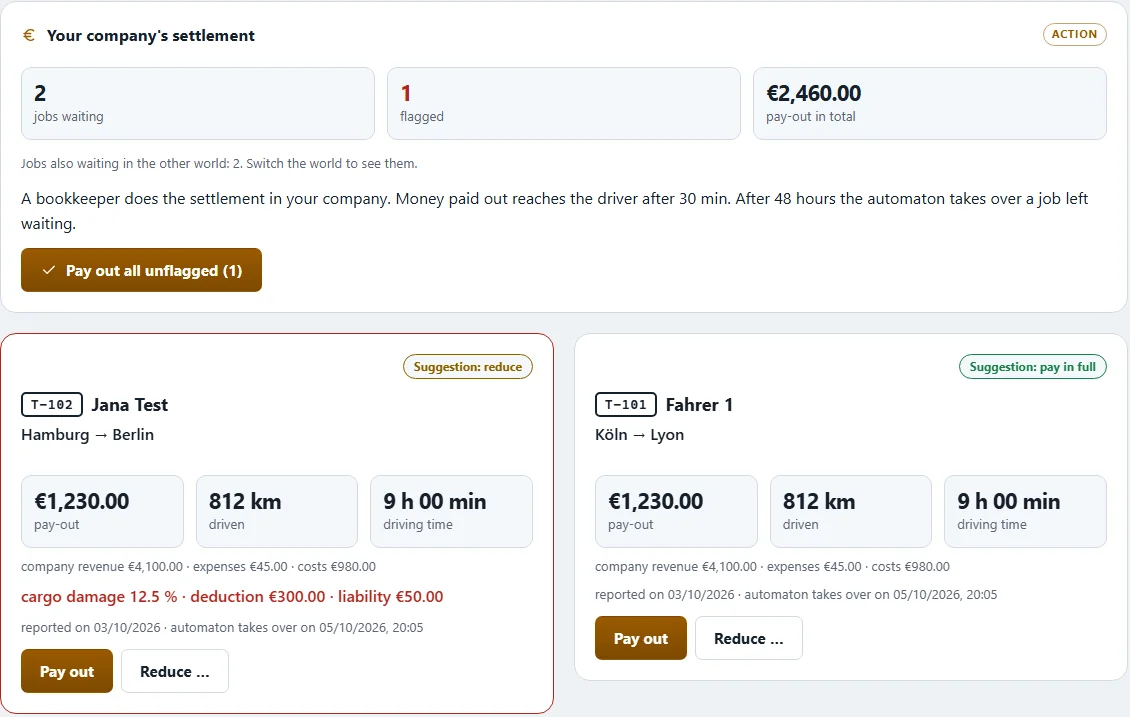
Every waiting job shows driver, route, kilometres, the company's revenue, trip pay and allowance. Jobs where something stands out are flagged ("Flagged - please look at this one.") and the automation names its reason – cargo damage, for example.
- "Instruct" on one job – or select several and "Instruct selected".
- Confirm. The money reaches the driver about half an hour later.
If jobs are waiting in the other world, the page says so. Switch the world to see them – settlement always shows the jobs of one world.
Reducing#
A reduction is optional and always needs a reason: "driving too fast", "cargo damage", "total loss", "not plausible" or "other" – "other" also needs an explanation. A reduction applies to every job of one click; if you want different amounts, decide the jobs one by one.
Undo reduction: as long as the money has not been credited, the owner (or whoever may "Revoke a settlement") can take the reduction back. The job number is in the message to the driver. The driver then gets the full amount.
Four-eyes approval#
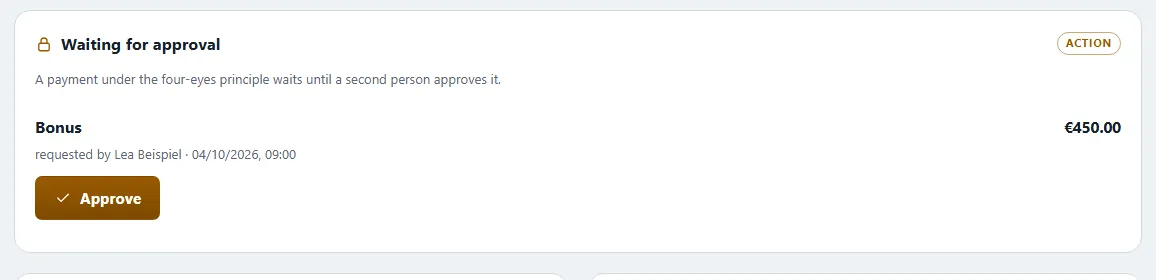
Large amounts should not depend on a single person. So the owner can set that a second approval is needed from a certain amount – in the company's settings under "Four-eyes rule from amount". By default it is off.
How it works:
- Someone with a money right – a bookkeeper, for example – instructs a job, transfers company money, invests it, pays a bonus or applies for a company loan. If the amount is above the limit, it first becomes a pending request.
- The pending request appears on the card "Waiting for approval".
- The owner or a second person holding the same right approves it with "Release". Never the same person twice.
- Whoever filed the request can take it back with "Withdraw".
Good to know:
- The owner always goes straight through. They need no second signature – otherwise a company they run alone would be stuck.
- A pending request that nobody approves expires after a set period – or as soon as the person who filed it leaves the company.
- Every pending request and every approval is recorded in the company log: who, when, what.
Related
- ETS2 + ATSThe company account and bankThe company account: who sees it, what goes in and out, investments, company loan, account plan and bonuses – shared by both worlds.Companies (VTC)
- ETS2 + ATSDispatch – orders, assignment, on the roadCreate your own orders for your drivers, assign company vehicles and see who is driving where right now.Companies (VTC)
- ETS2 + ATSYards, parking bays, filling station and storeHeadquarters and yards per world, buying land, building parking bays and buildings, diesel, AdBlue and parts for your yard.Companies (VTC)