Found a company
ETS2 + ATS
What you need to found a company, how name and short name work, and how to fill in your profile, logo and Discord link.
On this page5
Want to be the boss? Then found your own company. You become its owner and can do everything in it – take drivers on board, hand out roles, post orders, pay out money.
What you need#
- Enough experience. The career card shows you line by line what is already met and what is still missing.
- The passed driving test of the world you found in.
- The founding fee in your bank account.
- Enough equity. On the bank page the card "Towards your own company" shows how much you still need. What counts is what remains after the founding fee. Instant access savings count, fixed term deposits do not.
If something is missing, the app tells you exactly what – for example "There is too little in your bank account for the fee." or "After the fee has been deducted your equity is no longer sufficient."
Step by step#
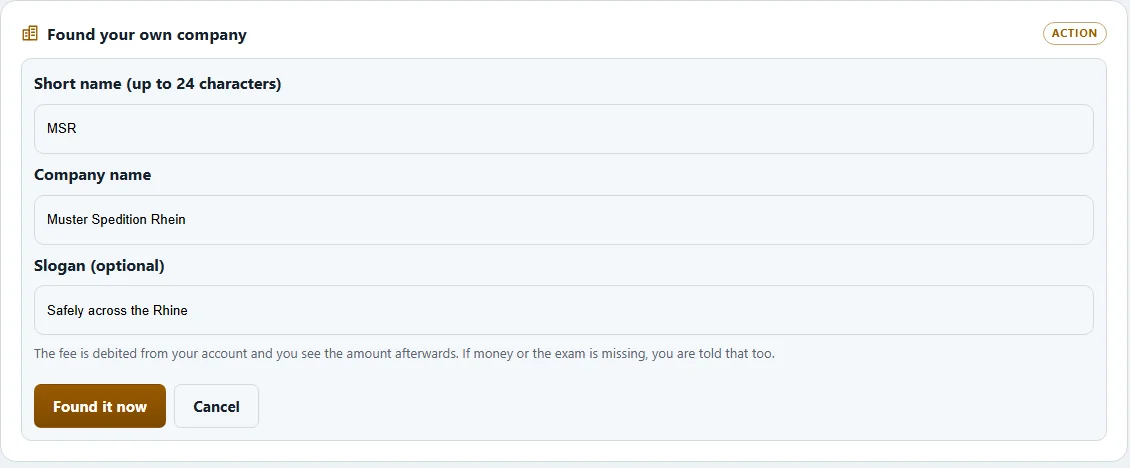
- Open "Companies" and choose "Found a company".
- Enter the "Company name" and the "Short name", and a "Slogan" if you like.
- The app shows what founding costs and what you keep afterwards.
- With "Found now" and your confirmation the company exists. Founding cannot be undone.
The name and the short name are yours for good afterwards. Both are checked: a taken name or short name, or characters that are not allowed, are rejected. Some short names are blocked because in any message they would look like an announcement from the game operator.
Did you already own land, buildings or vehicles as a solo driver? Under "My yard" you can hand them over to your new company with "Transfer" – including their financing. Your bank account stays yours. This cannot be undone either.
The profile – your company's shop window#
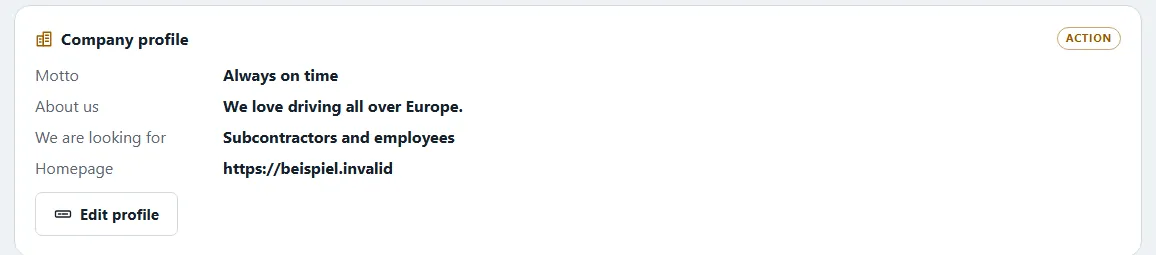
Anyone looking for a company sees your profile in the list. You keep it up to date under "My company" in the "Profile" tab:
| Field | What for |
|---|---|
| "Slogan" | your motto in one line |
| "Advertising text" | a short text to attract drivers |
| "Looking for" | subcontractors, employees or both |
| "Voice server" | the invite link to your Discord |
| "Own website" | your homepage |
| "Multiplayer profile" | your TruckersMP page |
You also decide whether you accept applications right now. The list then shows "Accepting applications." or "Not accepting applications at the moment.".
The Discord link and the other links#
Other drivers click these links – so only safe addresses are allowed:
- Voice server: only a Discord invite, i.e. an address starting with
https://discord.gg/orhttps://discord.com/invite/. - Multiplayer profile: only your VTC page on TruckersMP (
https://truckersmp.com/vtc/…). - Own website: any address starting with
https://.
Anything else is rejected, not rewritten.
Logo and crest#
Your company can have its own logo: "Choose company logo" or "Company logo from clipboard". The app shrinks the picture by itself. It is checked first and appears only once it is approved – until then the badge with your short name represents the company.
What next#
- Find drivers: accept applications
- Hand out roles: Roles and rights
- Build the first yard: Yards and parking bays
- Open in the second world: Your VTC in ETS2 and ATS
Related
- ETS2 + ATSApply to a companyStep by step – find a company, apply, get accepted, probation, resign or leave.Companies (VTC)
- ETS2 + ATSRoles and rightsWho may do what in a company – grades and functions, the rights in eleven areas, the log and inactivity.Companies (VTC)
- ETS2 + ATSYards, parking bays, filling station and storeHeadquarters and yards per world, buying land, building parking bays and buildings, diesel, AdBlue and parts for your yard.Companies (VTC)