The dealer overview in detail
ETS2 + ATS
The dealer's shop window: build-up, plants, stock, workshop, staff, crews, loads and drivers on the road — view only.
On this page3
The "Dealer overview" is the dealer's shop window. You find it under DEALER › "Dealer overview". All players see the same, and nothing can be changed there — it is for looking. A first overview is in The dealer; this page explains what each tab shows.
The header#
At the top it says "How far the dealer has built up": finished locations, buildings finished and under construction, active plants, and the time of the data ("As of …").
The tile "How rich is the dealer?" shows one number as a gauge, what came in or went out since the last update ("… since …" or "unchanged since …") and "Last 7 days". The number is updated twice a day; the time of the next update is shown below it.
The tabs#
| Tab | What you see there |
|---|---|
| "Build-up" | every location with "Yard stands" or "under construction", level, "Area: … m² · free: … m²", every building with "finished" or "under construction", and for running projects "Deliveries: … of … arrived", "Machines: … of … on site" or "Waiting for a crew" |
| "Plants" | the truck plants and trailer plants where new vehicles are made |
| "Stock" | per yard and model: new, used, in transit, rented — plus spare parts and "Diesel: … of … litres", "AdBlue: … of … litres" |
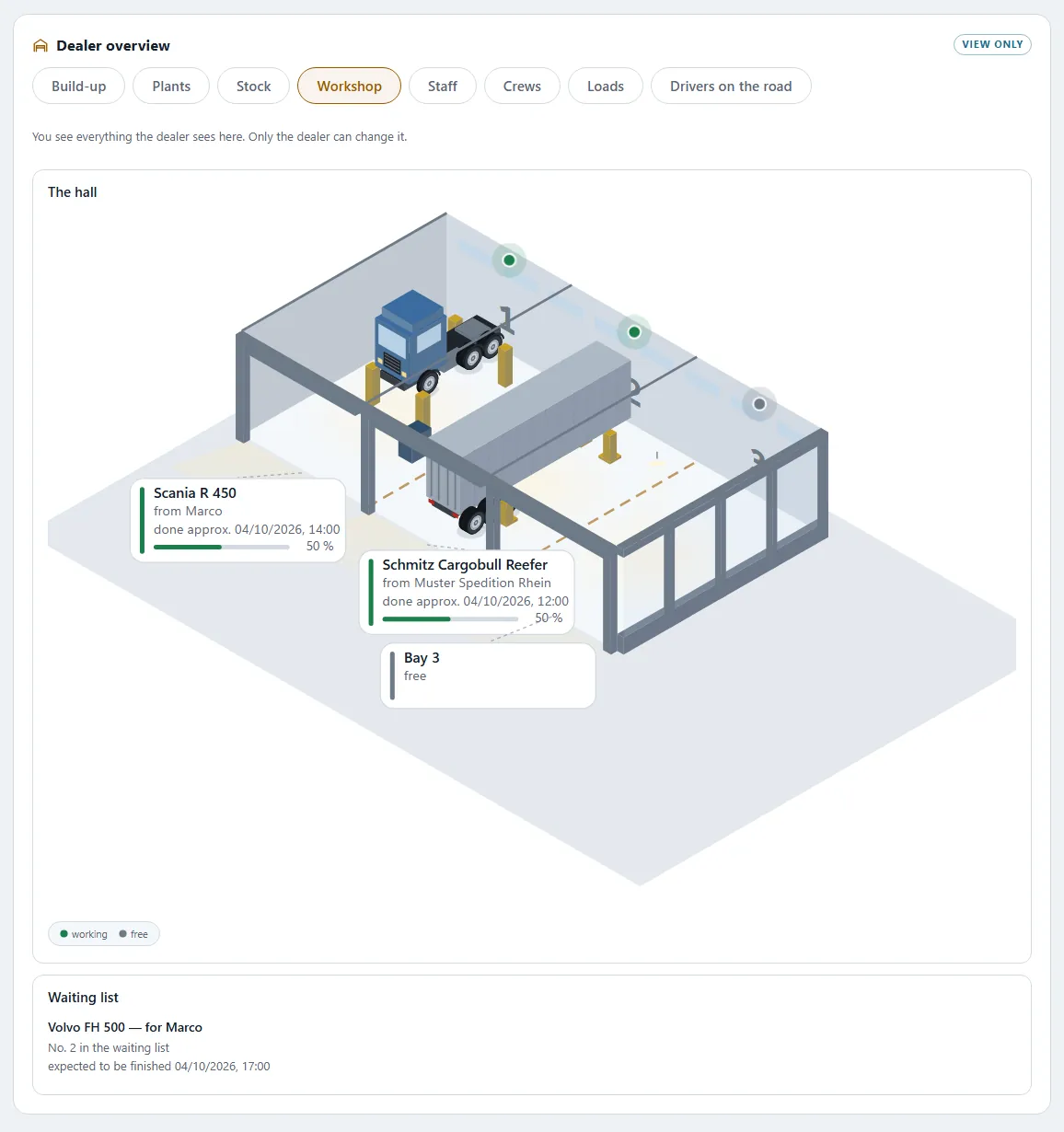
| "Workshop" | bays and "mechanics on duty", "Being worked on" with "expected to be finished …", the "Waiting list" with "No. … in the waiting list"; plus who is off sick or on leave |
| "Staff" | drivers, office staff, workshop manager and mechanics: employed, on the road, available, off sick, on leave, "not started yet", "back on …" |
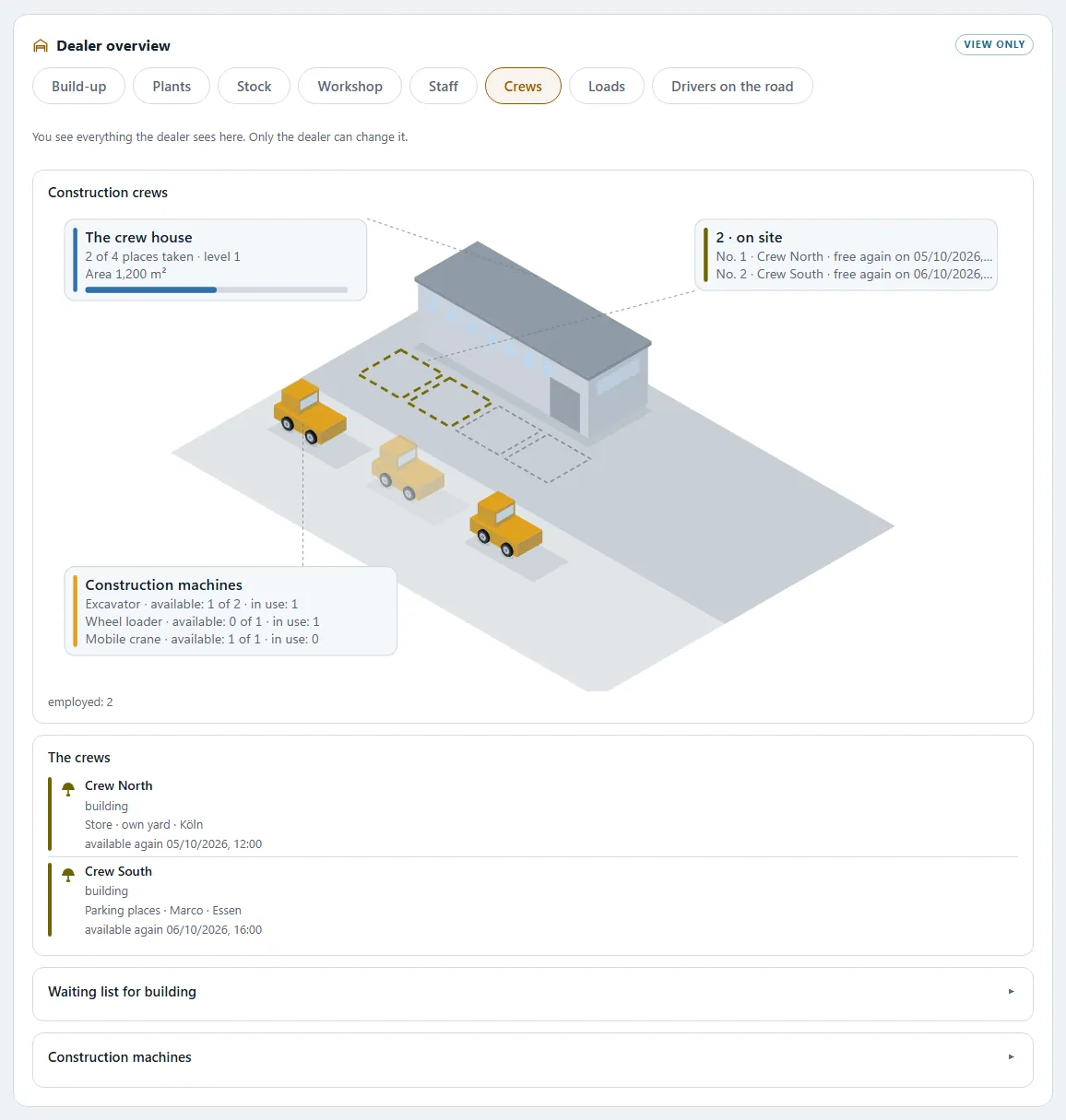
| "Crews" | "The crews" with their place of work ("… for …", "own yard") and "available again …", the "Waiting list for building" and the construction machines ("available: … of …", "in use: …") |
| "Loads" | "Dealer loads on the freight market" with route and "expires …" — and "Show on the freight market" |
| "Drivers on the road" | a map with the routes of all the dealer's drivers currently on the road |
The dealer overview shows what is being worked on and who is there. It shows no money — except the one number in "How rich is the dealer?".
Locations on the map#
"Locations on the map" shows all the dealer's locations. Tap one ("View location") and you see "What is in stock here": "Trucks new … · trucks used … · trailers new … · trailers used …", diesel and AdBlue "in stock" and the spare parts. If you have a yard of your own, the distance and approximate driving time are shown as well.
In the American world (ATS) distances appear as "mi (km)" and fuel as "gal (l)".
Next: The dealer builds for you · Branches and the dealer network
Related
- ETS2 + ATSThe dealerShop, renting and loaners, dealer overview, sites and branches, the dealer in America.Dealer
- ETS2 + ATSThe dealer builds for youThe dealer's crews and construction machines build your yard: cost estimate, materials, waiting time, progress.Dealer
- ETS2 + ATSBranches and the dealer networkThe dealer's main location and branches: what each one has, what "on site" means and which loads the dealer puts on the freight market.Dealer