Own truck, rental, loan
ETS2 + ATS
Own trucks and trailers, rental and loan — what the app shows.
Everything about your trucks and trailers: what you own, what they are worth, what shape they are in — and how to get new ones. In the app: DRIVING › "Fleet" (the page is called "My vehicles").
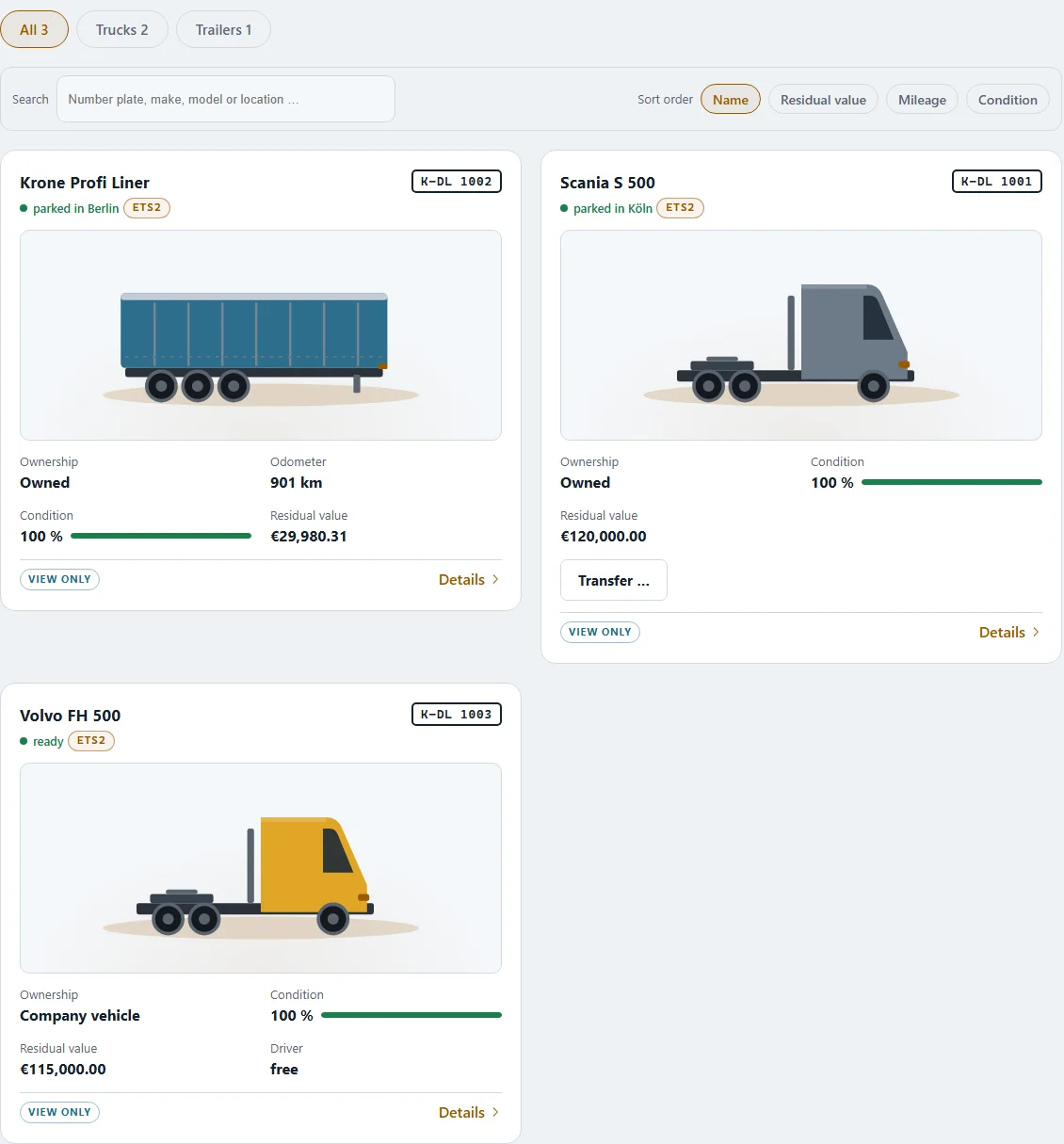
The overview#
At the top you see how many vehicles you have ("… trucks · … trailers"), the total residual value — as the dealer rates it — and the total net book value in your books. You can search by plate, make, model or location, and sort by name, residual value, kilometres or condition. Filters show your own, free or rented-out vehicles.
A vehicle card#
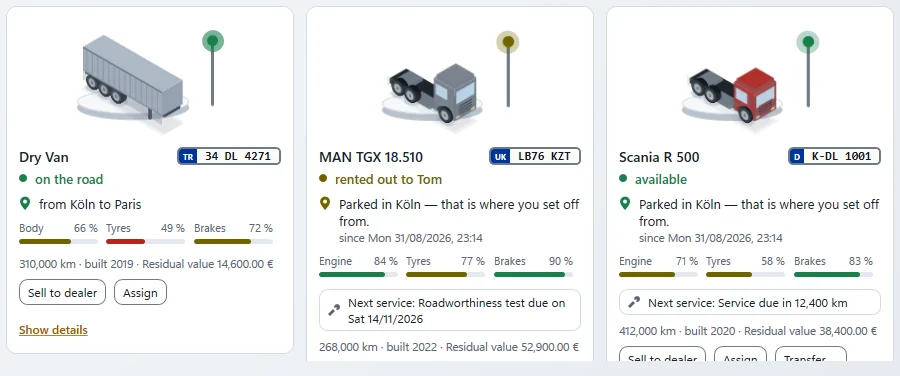
- plate, make and model, year and mileage
- status: "idle", "on the road", "Workshop", "rented out"
- residual value, monthly depreciation and monthly vehicle tax
- the next service — "due in … km" or "overdue by … km"
- a bar for the condition: good, fair, poor
- optionally a picture of the vehicle on a plinth
"Show details" opens the details full width right below the row: Condition (part by part), Tax & book value (purchase, input VAT, depreciation, net book value) and History — side by side.
Residual value and net book value
The residual value is what the dealer would pay for it today. The net book value is what it is worth in your books — depreciation lowers your profit, not your balance.
Number plates#
Every vehicle gets a number plate — a random one for free, or a personalised plate for a fee. The registration office puts the code of your company's home town in front. The plates carry the blue EU strip with the country code (D, A, F, I …); other countries appear in their own style.
Renting#
If you have no truck of your own, the rental contract starts as soon as you accept a job, and the app asks you for the rate straight away. Until you choose, every page shows "No rental contract for the truck yet." at the top, with the rates and a button to choose one — this band cannot be dismissed. If you do not choose within 12 hours, the most expensive rate applies. The rent is debited from your bank account at once when the contract is concluded; after that the vehicle card shows "Rented" with the price per 7 days, the free kilometres and the price above them.
Under COMPANY › "Rental" you find your rented truck and rented trailer with their rate (per 7 days, with included kilometres), the kilometres driven this period and what you have paid so far. "Extend rental" and "Give it back" work at any time; after you return a vehicle, the dealer collects it. If your rented truck is still on its way, the page tells you when — until then you drive on the base rent.
Rented vehicles also appear in My vehicles, marked "Rental".
Buying#
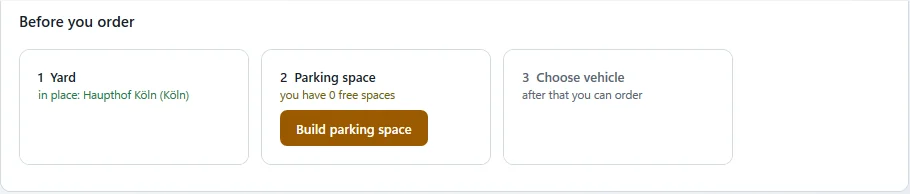
New and used vehicles are bought from the dealer. A truck needs somewhere to park — so before you buy, a short checklist appears: "Before you order":
- Yard — You need a yard of your own ("yard first, then buy").
- Parking space — There has to be a free parking space in the yard.
- Company cash — The money has to be there.
- Choose a vehicle — New, used or from the offers. With offers, the purchase appears as soon as you have picked one.
If something is missing, a button takes you straight there ("Build yard", "Build parking space", "Go to the bank account"). Once everything is in place, the list shrinks to a single line.
Then you choose where to collect it and where it should go. You can pick it up yourself or post the delivery as a job on the freight market; if the branch in your city has the vehicle in stock, it comes straight away. A trailer is brought by the dealer — you can drive it as soon as it has arrived. While it is on its way, the app shows the status: loading, on the way, unloading, with arrival.
Selling and assigning#
"Sell to dealer" sells one of your own vehicles. The dealer tells you what he pays when you sell; the amount goes into the company account. In a company, "Assign" gives a vehicle to a driver.
Rent or buy? Both work, and both cost in their own way. What suits you best is something you will find out for yourself.
Related