Overlay
ETS2 + ATS
The transparent window on top of the game.
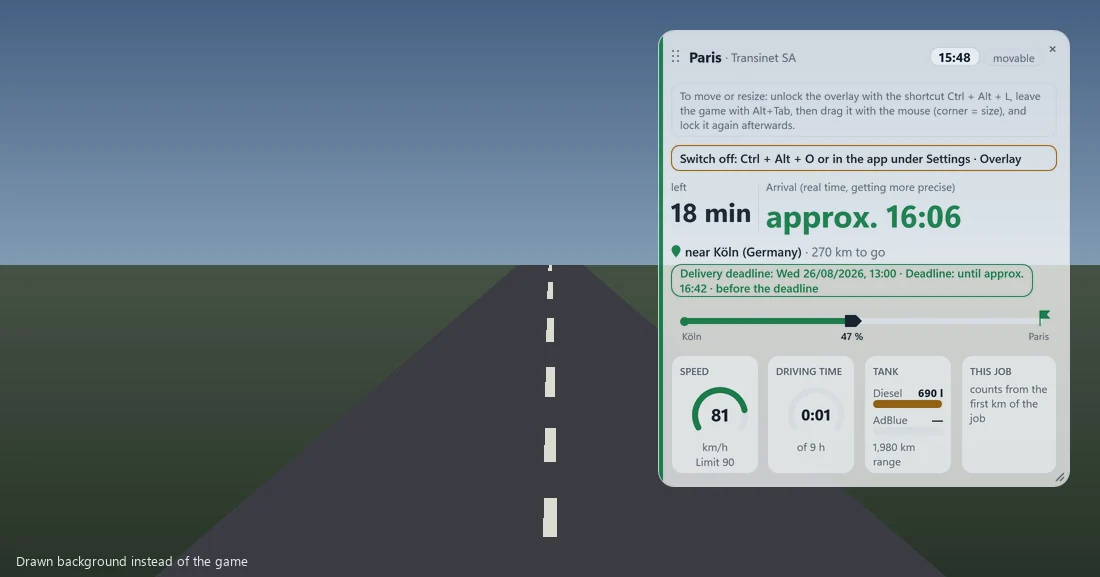
The overlay is a small, see-through window that sits on top of your game. It shows you the essentials on the road — without opening a menu or glancing at a second screen.
What it shows#
- the real clock time
- your arrival in real time and how long is left
- the deadline as a clock time — ahead of or behind it
- where you are right now and how far there is to go
- your progress with the events of the job (ferry, toll …)
- speed and speed limit
- driving time as a ring — and when your next break is due
- diesel, AdBlue and range — and how many litres this job has used so far
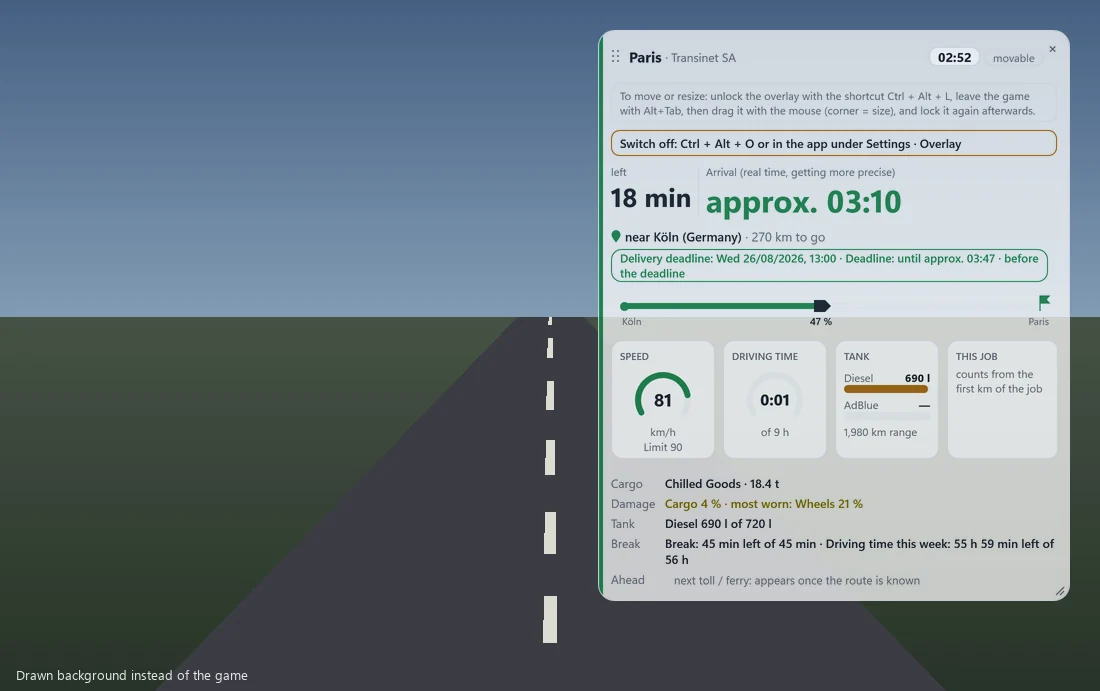
- cargo, cargo damage and the most worn part
- what is coming up next on your route: the next place, the next toll booth and the next ferry
Switching it on#
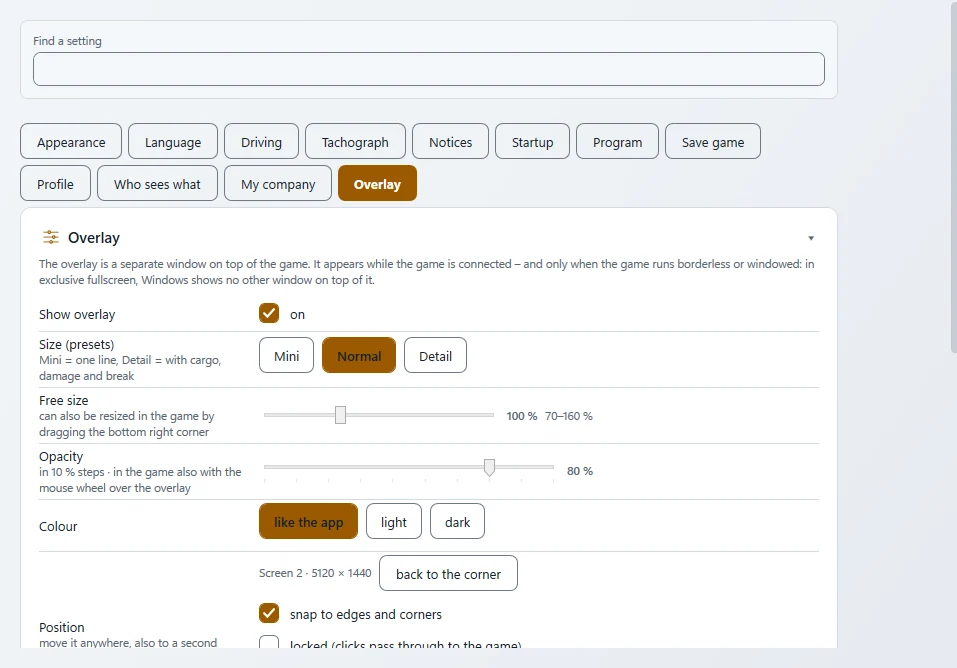
Under "Settings" › "Overlay", switch on "Show overlay". From then on you show and hide it with Ctrl+Alt+O — even while the game is in front.
Borderless or windowed
The overlay only appears when ETS2 runs borderless or in a window. In exclusive fullscreen it is invisible — that is not a bug, it is the price of never touching the game. Set the game to borderless in its graphics options.
Size, position and opacity#
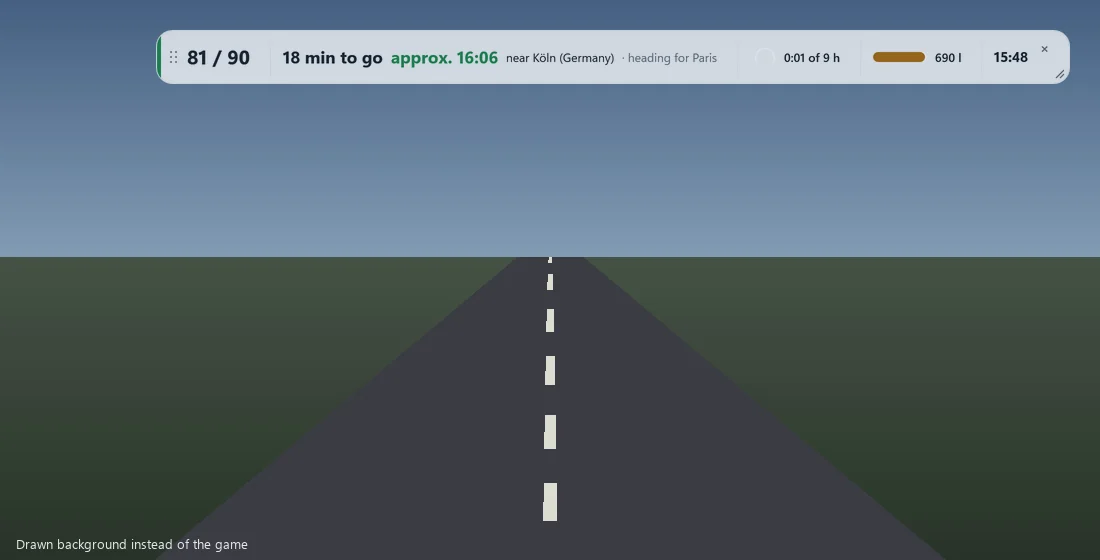
- Size: three presets "Mini", "Normal", "Detail" — or any size by dragging the bottom-right corner.
- Position: in the game, press the right mouse button until the pointer appears, then drag the overlay to its place with the left button — even onto a second monitor; it snaps to the edges. While you drive, clicks go through the overlay into the game, and the game always keeps the focus. The overlay remembers its position per monitor and resolution. "Back to the corner" brings it home again.
- Opacity: from 10 to 100 percent in steps of ten, with the slider or the mouse wheel. The background turns see-through, the text stays easy to read.
- Lock: Ctrl+Alt+L locks the overlay — then it cannot be moved and lets every click through to the game. The same key unlocks it.
- Switch size: Ctrl+Alt+G.
All keys are listed in Settings and can be changed ("Change" / "Default"). If a key is already taken, the app warns you.
Safe for your game#
The overlay is a separate window of the app that sits on top of the game window — like a desktop widget. It never touches the game: no injection, no graphics hook, no memory reading, no input sent to the game. Its values come from the same telemetry plugin the app reads anyway. It never steals focus from the game either.
That is why we consider it compatible with TruckersMP: tools that interfere with the game or change gameplay are banned there — the overlay does neither. TruckersMP does not publish an official list of allowed programs, though; this is our assessment, not a promise from TruckersMP.
Related
- ETS2 + ATSLive mapThe live map: where you and other drivers are right now.For drivers
- ETS2 + ATSDriving and tachographThe driving page, driving times and the tachograph with the statement of every job.For drivers
- ETS2 + ATSOwn truck, rental, loanOwn trucks and trailers, rental and loan — what the app shows.For drivers