Yards, parking bays, filling station and store
ETS2 + ATS
Headquarters and yards per world, buying land, building parking bays and buildings, diesel, AdBlue and parts for your yard.
On this page5
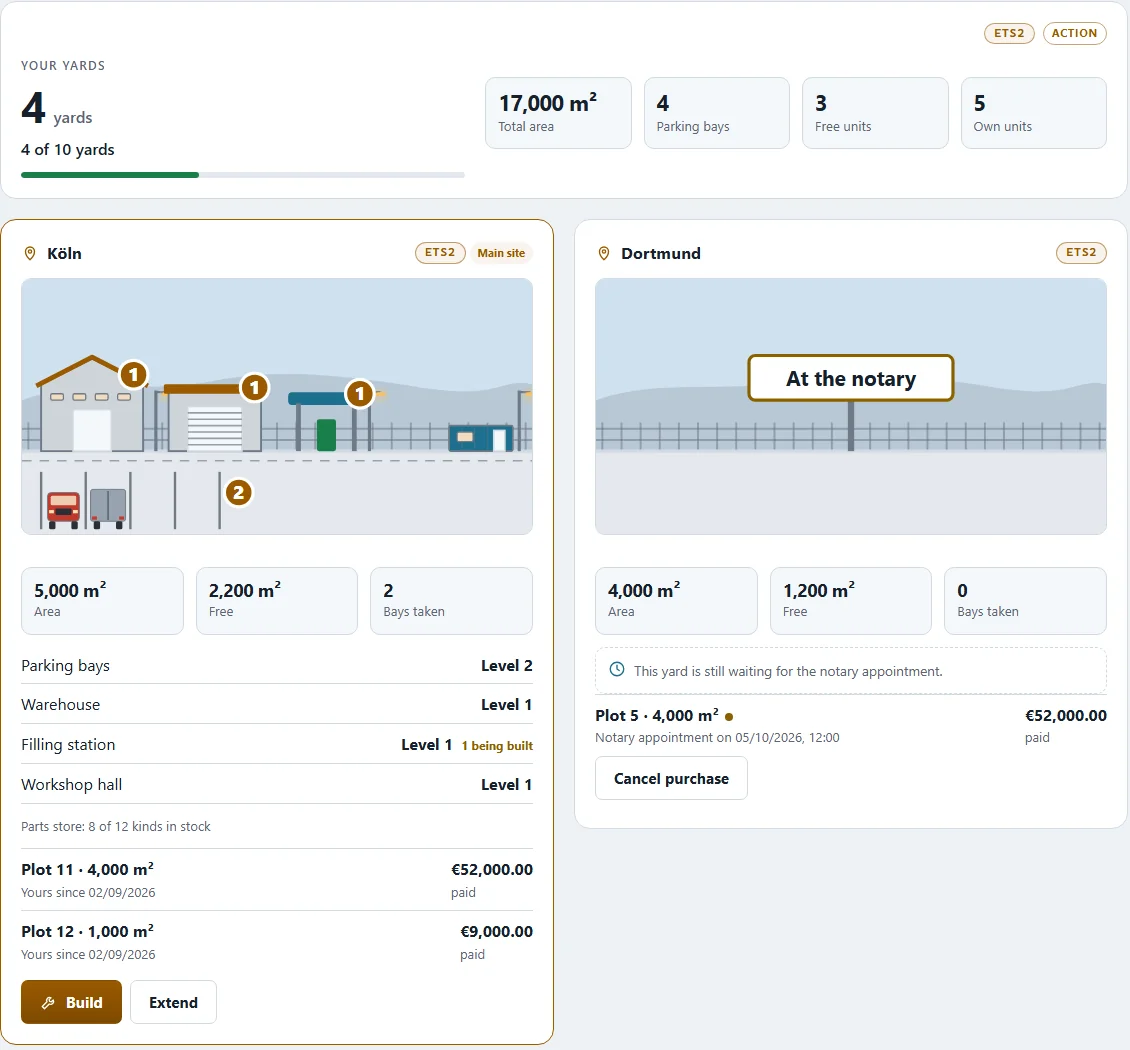
An own vehicle needs a place to stand. That is why every company has one or more yards – with parking bays, a filling station, a store and a workshop. You find everything under "My yard" and "Filling station & store". The owner and whoever holds the construction rights may buy and build; everyone in the company may look.
Yards per world#
- Your company has its own yards in each world: a main site and further yards in other cities. A yard in ETS2 does not count in ATS and vice versa.
- The top of the page shows how many yards you have and how many are possible ("… of … yards").
- "Make it the main site" turns any yard into your headquarters.
Step 1: the land#
- "Buy land" – a new plot in a city of your choice, or "Extend" for more area at an existing yard.
- A notary appointment follows. Only then does the land belong to you. Until then "Cancel purchase" takes the purchase back at no cost.
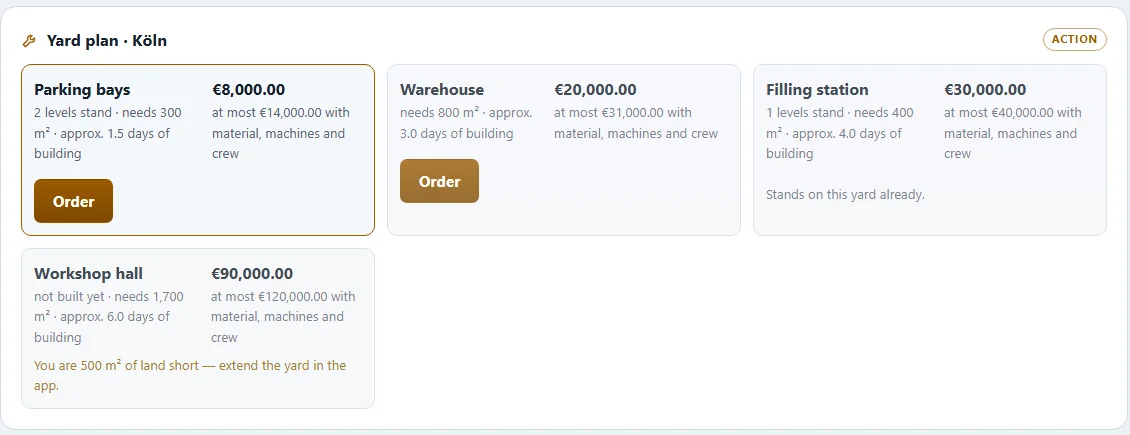
Every square metre you buy is building land. If the area is too small for a building block, the yard plan tells you how many m² are missing.
Step 2: building#
Open "Build" at a yard – the yard plan lists every building block: Yard surface, Parking bays, Warehouse, Filling station, Building crew house, Workshop hall and Workshop bay. For each you see how much area it needs, roughly how long it takes and what it costs at most – with material, machines and building crew.
- "Order" and confirm.
- The material is delivered – as a job on the freight market or by the dealer.
- The building crew arrives and builds. The site shows "Material on its way", "Waiting for the building crew", "Being built" – and roughly how long it will take.
One parking bay per order. Every order builds exactly one parking bay. For more bays, order several times.
An own vehicle needs a finished parking bay on your own yard. Yard first, then buy.
How many crews work on a build is set under "Work crews" – up to the limit shown. "Cancel build" stops a build; money already paid does not come back, and material already delivered stays on site.
Filling station & store#
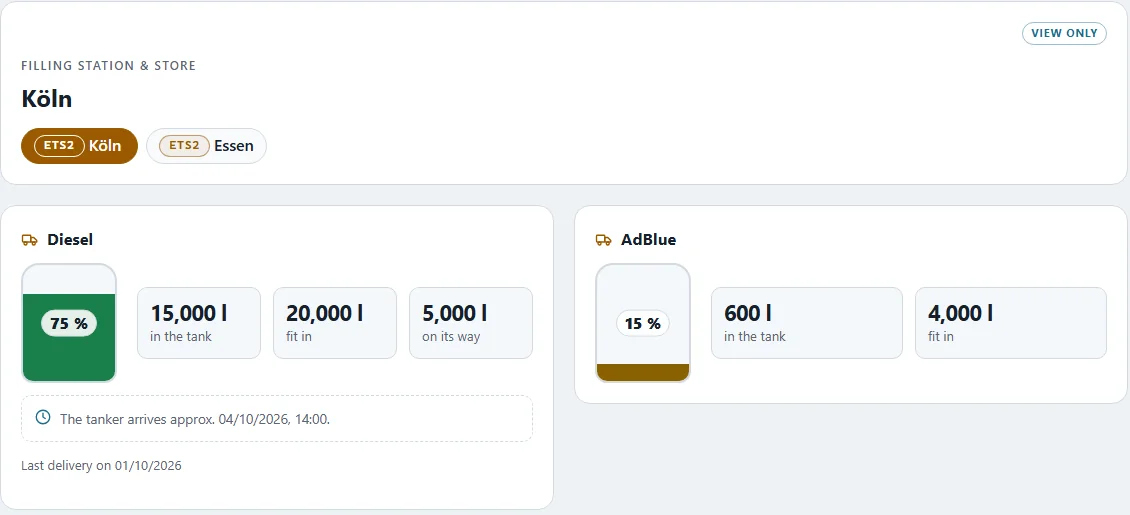
"Filling station & store" shows per yard:
- Diesel and AdBlue in the tank, what is on its way and when the tanker arrives
- the parts store with every type and its stock
Reordering: order diesel or AdBlue, enter the litres (empty = one full trailer load), then choose who drives the delivery: onto the freight market for a few days – another player drives it – or the dealer drives right away. If the dealer has a branch in your city, the goods are there at once.
Spare parts are ordered with "Order parts" – type, quantity; the destination is always the chosen yard. The yard needs a store for that.
Bringing your solo assets into the company#
If you owned land, buildings or vehicles before founding, "Transfer into your company" › "Transfer" hands them over to the company – including their financing. This cannot be undone.
If you joined a company and already had a yard of your own, you keep it next to the company's yard: Your own yard next to the company's yard.
Related
- ETS2 + ATSYour own yard next to the company's yardIf you already had your own yard before joining a company, you see both – and can keep building your own, paid from your private account.Companies (VTC)
- ETS2 + ATSThe company account and bankThe company account: who sees it, what goes in and out, investments, company loan, account plan and bonuses – shared by both worlds.Companies (VTC)
- ETS2 + ATSMy VTC – see how your company is built upWhat employed drivers and sub-drivers see of their company – sites, buildings, building jobs, filling station, workshop, stock, fleet and team, per game world.Companies (VTC)