The dealer
ETS2 + ATS
Shop, renting and loaners, dealer overview, sites and branches, the dealer in America.
The dealer sells and rents out vehicles, spare parts and diesel — and you can watch him grow. In the app and on the web, DEALER holds two pages: Dealer (the shop) and Dealer overview (the shop window).
The shop#
Four tabs: New · Used · Parts · Offers. All drivers see the same stock. Each vehicle shows how many are available, when the next delivery is expected and — for offers — the discount. You pay when you order and collect at the dealer.
Renting and loaners#
At the dealer you can also rent trucks and trailers. While your own vehicle is in the workshop you get a loan truck or loan trailer: with a price per day, plus per km, and who pays (you or your VTC). You can keep it or rent for 1 week instead.
The dealer overview#
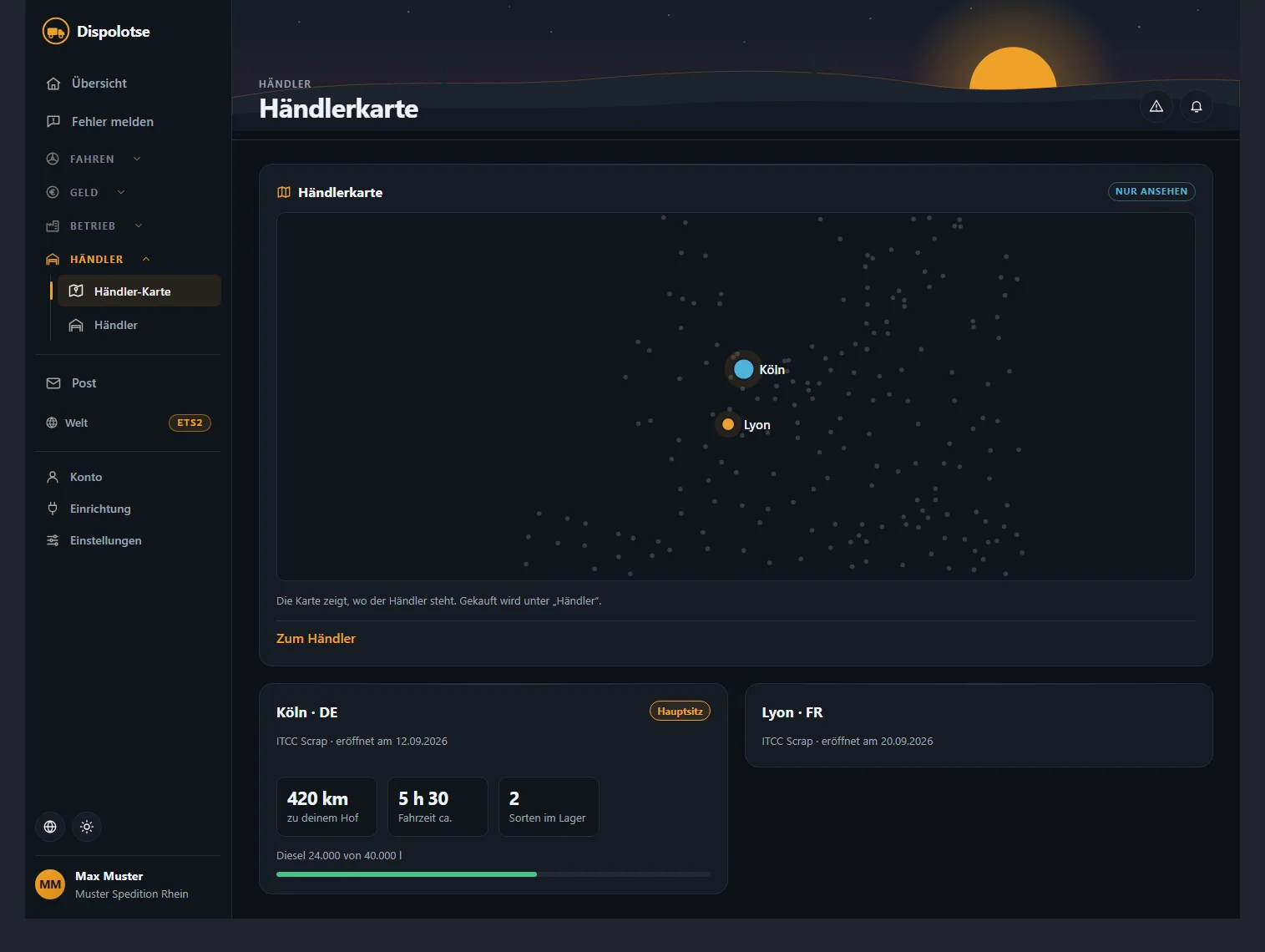
The dealer overview is a shop window: you see where the dealer is, how far he has built and who is working. Nothing can be changed there — it is the same for all players ("View only").
| Tab | What you see |
|---|---|
| Build-up | His sites: finished or being built, areas, what has been delivered, whether a crew is needed |
| Plants | The plants where trucks and trailers are made |
| Stock | Which vehicles are there — new, used, on the road, rented out —, spare parts and the diesel and AdBlue levels |
| Workshop | What is being worked on and who is on the waiting list — with "expected ready" |
| Staff | Who works for the dealer: employed, on the road, off, sick, on holiday |
| Building crews | His crews and what is built next |
| Jobs | The dealer's jobs on the freight market — with a jump there |
| Drivers on the road | A map with the routes of all dealer drivers currently on the road: from, to, cargo, progress and planned arrival |
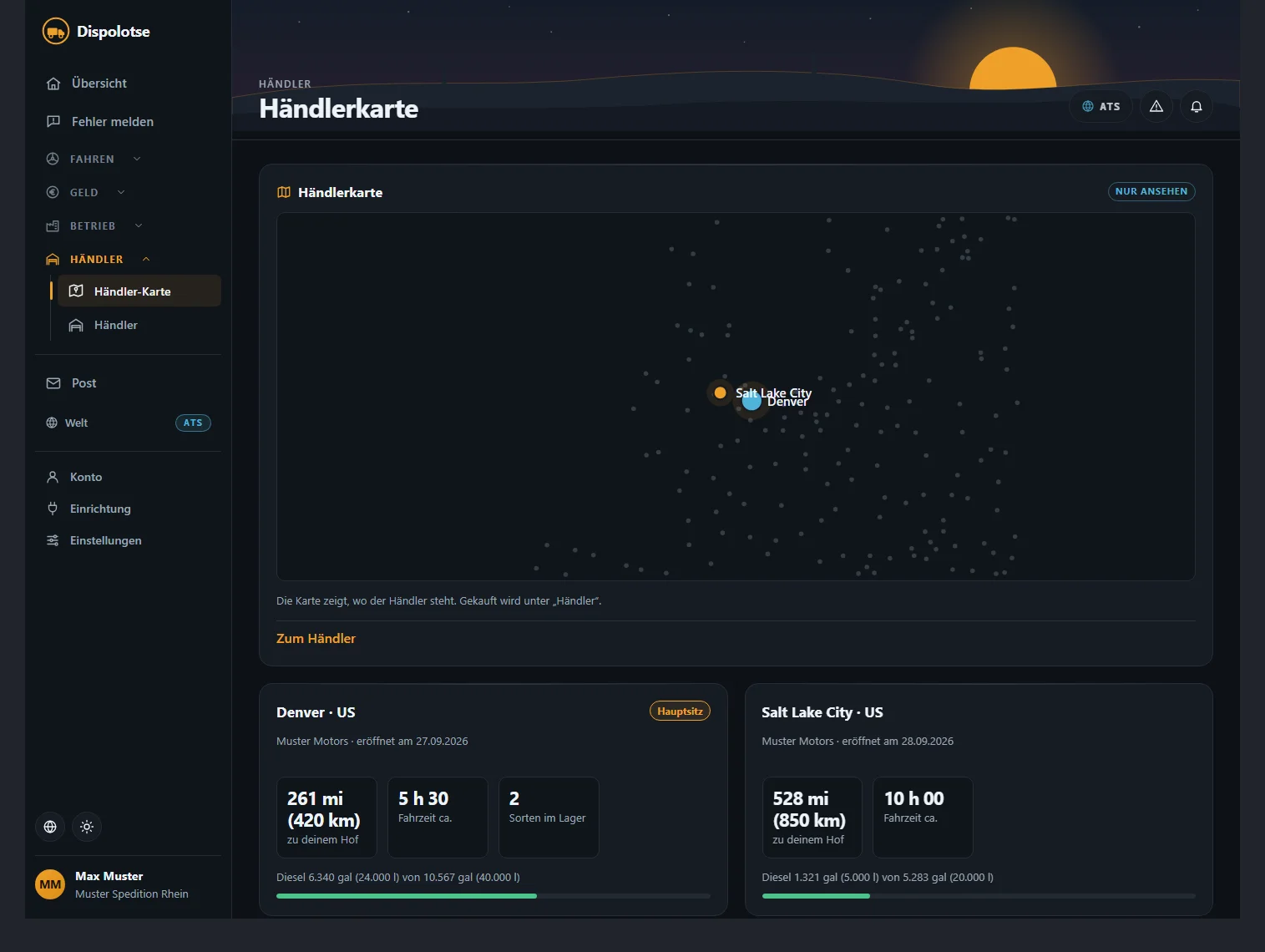
Each site shows the distance to your yard, the approximate driving time, how many kinds it has in stock and its diesel level.
Sites and branches#
The dealer has a main site and builds branches — each with its own store, fuel station and workshop. If the branch in your city has something in stock, it arrives at once, no exchange needed. You bring your vehicle to the dealer's workshop; the dealer picks the branch. If a branch is still being built, the app tells you: the dealer is still setting up the stores there and asks for a little patience.
The dealer in America#
American Truck Simulator has its own dealer with its own sites, stock and workshop — he starts in Denver (Colorado). ETS2 and ATS are separate: what the dealer has in Europe does not exist in America. Otherwise everything works as in ETS2: shop, workshop, diesel and AdBlue, dealer overview, the same flows. Distances show as "mi (km)", diesel in gallons with litres, prices as "$ … (… €)". You pay from your shared current account.
Related
- ETS2 + ATSBuying from the dealerNew, used, parts, offers — how you buy from the dealer, collect, have it transferred and sell.Dealer
- ETS2 + ATSRenting from the dealerRented truck and trailer: rates S1 to S5 per 7 days, choose a rate, extend, return.Dealer
- ETS2 + ATSDealer workshop and loan vehicleRepairs at the dealer: where, when, who pays — and the loan truck or loan trailer while your vehicle is off the road.Dealer